← All workflows
Your voice leads

Audio to Video

Turn existing spoken audio into a watchable video. AuraClipy listens to your recording, builds scenes around what is said and matches visuals to the pace of the speech.

Audio to Video — AuraClipylive
Upload audio01 / 06
MASTER AUDIO00:12

CONTEXTUAL SCENE MATCH

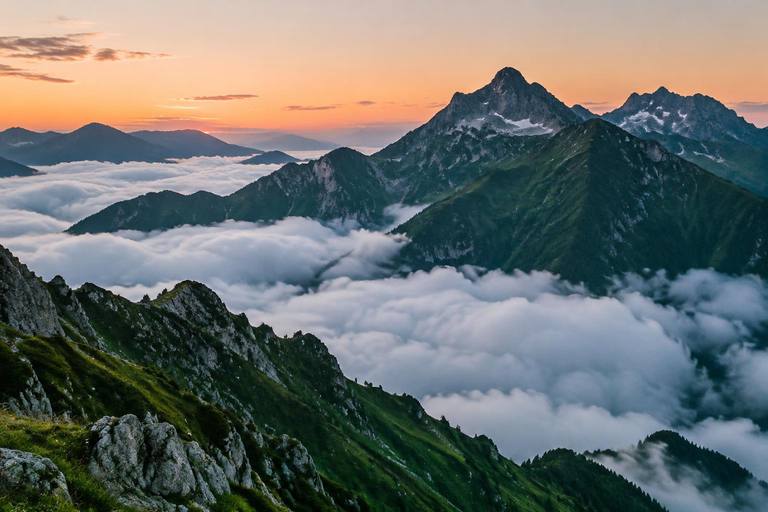
“Above the clouds” → alpine peaks, aerial mountains, dawn landscape

Scene 01
Scene 02
Scene 03
Original recording · word timestamps
Mountain cutaway preview9:16 · VIDEO PREVIEW
Above the clouds the world feels different.
1080p · MP4
Upload audioRecent Exports
Illustrative workflow preview

When to use it

Start with what you already have

Choose this when the narration is already recorded—like a podcast, lesson, voice note or interview segment.

You provide

  • •A clear spoken-audio file
  • •A project name and output format
  • •Optional visual and caption preferences

AuraClipy creates

  • •A scene sequence based on the recording
  • •Supporting visuals aligned with the narration
  • •A rendered video using your original audio

The real workflow

How it works, step by step

01

Upload your spoken recording

Choose your audio file, set the project name, aspect ratio and resolution, then inspect the recording duration. MP3, WAV, M4A and AAC are supported by the upload workflow.

Upload audio — AuraClipylive
narration.wavMP3, WAV, M4A, AAC00:12 · 48 kHzInspecting metadata…
02

Transcribe the speech

AuraClipy extracts the spoken text and word-level timing from your recording. The original voice remains the audio foundation of the final video.

Transcribe speech — AuraClipylive
Timestamped dialogue
00:00.000

Above the clouds,

00:04.000

the world feels different.

00:08.000

The mountains wake with the first light.

Word boundaries detected
03

Build timed scenes

The transcript is split into natural scene blocks using the speech timing. Each scene gets a start and end position so the visual sequence follows the recording.

Split scenes — AuraClipylive
Natural scene boundaries
01

Above the clouds,

4.0s
02

the world feels different.

4.0s
03

The mountains wake with the first light.

4.0s
Speech pauses → idea blocks
04

Match visuals to the dialogue

AuraClipy Enhance improves the search context for each scene and retrieves matching stock footage. Review the sequence rather than assuming every result is the right fit.

Match footage — AuraClipylive
HD footage matching0 / 3
Scene 01
Scene 02
Scene 03
Scene 01alpine peaks cloud sea
Scene 02mountain sunrise aerial
Scene 03hiking mountain trail
Swap footage · shuffle · custom B-roll
05

Review and replace footage

Open a scene to inspect its keyword, search again, fetch another matching clip or upload custom B-roll. Visual edits keep the original recording and scene timing as their foundation.

Review timeline — AuraClipylive
Voice & scene timeline
Mountain scene 1
Scene 01
Mountain scene 2
Scene 02
Mountain scene 3
Scene 03
00:0000:0400:0800:12
Visuals aligned to spoken word boundaries
06

Style captions and render in background

Choose your caption template and output settings, then export. Audio to Video supports safe background rendering; the finished download is available from Recent Exports.

Captions & export — AuraClipylive
Captions & exportMP4 · 1080p
Dynamic HighlightHormozi BoldKaraoke
Above the clouds
Encoding in background0%
Keep working while the render finishes

Why it helps

More from the video you make

Reuse recordings as video content
Keep the speaker's own voice
Let visuals follow the audio timing
Publish an audio-first story in a visual format

Ready to make your next video?

Open the creator and choose Audio to Video.

Use this workflow

Explore other workflows